
Minecraft Commands
How To Use Commands In Minecraft?
Minecraft commands are special text based instructions that allow players to control different aspects of the game instantly. Using commands players can teleport to specific locations change the weather, set the time of day summon mobs give items and manage multiplayer servers without completing tasks manually.
Commands are available in both Java Edition and Bedrock Edition when cheats are enabled. Whether you want to explore faster, test builds manage a server, or simplify gameplay learning how to use commands can significantly improve your Minecraft experience.
In this guide you’ll learn how to enable commands enter them correctly and use some of the most useful Minecraft commands with practical examples.
Who Can Use Commands?
Not everyone touches commands the moment they play Minecraft and that hesitation makes sense since this is one of the more powerful tools tucked inside the game, capable of making an enormous difference once unlocked.
On Bedrock Edition a singleplayer world hands you control through Allow Cheats, a button buried in the settings menu, with permissions tied to it that vary depending on whether you picked Creative mode or Survival mode.
Java Edition works a little bit differently since you select world, create and enable cheats right there, temporarily or permanently, by ticking a small box before the world even loads, a lasting choice for gameplay.
Opening the game menu and toggling Open to LAN lets others join your network temporarily, though Start LAN world sometimes disables certain ability settings, like unlocking achievements, unless you pause, stop and rejoin later again.
On someone else’s server or a Realm, the rules change entirely since a high enough permission level decides who gets default access so when stuck in doubt, just ask and most players will gladly help.
| Command | What It Does |
|---|---|
| /tp | Teleports players |
| /give | Gives items |
| /weather | Changes weather |
| /time | Changes time |
| /summon | Spawns mobs |
| /kill | Eliminates target |
| /locate | Finds structures |
| /setworldspawn | Sets spawn point |
| /op | Grants operator access |
| /ban | Bans players |
Handy Commands
I’ve spent years tinkering inside Minecraft worlds, and commands remain the single most useful trick almost all players eventually pick up. Used responsibly they transform tedious tasks into instant fixes. The teleport command alone saves hours sending yourself or another player straight to a target player, a destination, or exact coordinates.
Need precise placement? Specific location targeting via teleport works wonders when Steve or Alex wander too far from base. Equally handy is the give command hand a player an item in any amount you choose. Want a stack of diamonds? Give player specific item specified quantity and you’re set instantly, no mining required.
Weather control feels almost magical once you master it. Tired of endless rain or rumbling thunder? Clear skies arrive instantly through one typed line. This change in weather affects the whole game world, letting you clear storms whenever building or filming demands sunshine. Time set works similarly, shifting time of day between morning, day night or noon instantly.
Sometimes you need creatures or objects to appear exactly where planned. Summon entity x y z drops any mob or item at specified coordinates summoning a zombie near your current location for testing, perhaps. Stuck mid fall or trapped underground? The kill command rescues yourself or another player instantly when nothing else works.
Actual Command Syntax
/tp Steve 100 64 200
/give Steve diamond 64
/weather clear
/time set day
/summon zombie ~ ~ ~
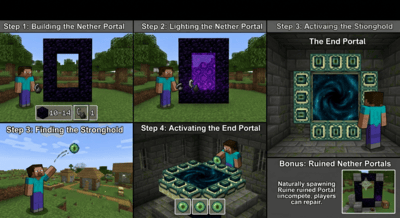
/locate structure stronghold
/setworldspawn 0 64 0
Beyond combat and creatures server management matters too. Setworldspawn x y z resets the world spawn point to your specified coordinates, while locate category thing helps find the nearest structure or biome of a specified type, like a stronghold. Granting op playername makes that player an operator though kick and ban playername removes or bans player from the server intimidating power yet a great tool for enhancing your Minecraft experience. Experiment and good luck.
Some commands may behave differently depending on the Minecraft version you’re using. If you’re playing an older release, see:
Common Errors
Cheats Not Enabled
Commands won’t work if cheats are disabled.
Incorrect Coordinates
Wrong coordinates may teleport players into dangerous areas.
Permission Issues
Multiplayer servers may restrict command access.
Minecraft Commands in Java vs Bedrock Edition
Minecraft commands are available in both Java Edition and Bedrock Edition, allowing players to teleport, change the weather set the time of day, summon mobs, and perform many other actions. However, there are some differences between the two versions.
Java Edition is generally considered the more advanced version for command usage. It supports a wider range of commands, more complex command syntax, and powerful features used in custom maps, datapacks and server administration. Many command tutorials and advanced command creations are designed specifically for Java Edition.
Bedrock Edition also includes most commonly used commands such as /tp, /give, /summon, /weather, and /time. These commands are easy to use and work well for casual gameplay, multiplayer worlds, and Realms. However, some advanced command features available in Java Edition may not be supported or may use slightly different syntax.
Before using commands make sure cheats are enabled in your world settings. While the majority of basic commands work similarly across both editions, it is always a good idea to check the command format for your specific Minecraft version.
For most players, the essential commands needed for exploration, building, and server management are available in both Java Edition and Bedrock Edition.
iPhone and iPad users can also check our complete Minecraft for iOS guide:
Minecraft Commands – FAQs
Conclusion
Minecraft commands are powerful tools that allow players to control gameplay travel instantly, manage servers, and experiment with different features. By learning commands such as /tp, /give, /summon, and /locate, players can save time and unlock new ways to enjoy Minecraft. Whether you’re playing Java Edition or Bedrock Edition, mastering commands can make your Minecraft experience more efficient and enjoyable.